
Native for macOS · written in Swift · no Electron
One agent.
Every kind of work.
Code, review, documents, workflows, voice, the terminal — Canoryn is one agent behind all of them, in a native Mac app. Every step in view, anything risky waiting for your OK. Bring any model: local, or frontier with your own key.
BetamacOS 15.4+ · Apple silicon and Intel · 46 MB download
46 MB
The download. Installed, the whole app is 106 MB.
0
Copies of Electron or Chromium inside. AppKit and SwiftUI all the way down.
36
Apple frameworks it's built on — TextKit 2, WebKit, Keychain, Speech and more.
340k+
Lines of Swift, written for this one platform on purpose.
An agent you can actually watch.
Most agents hand you a wall of text and a diff. Canoryn shows the work as it happens — the files it reads, the commands it runs, the output that proves it.
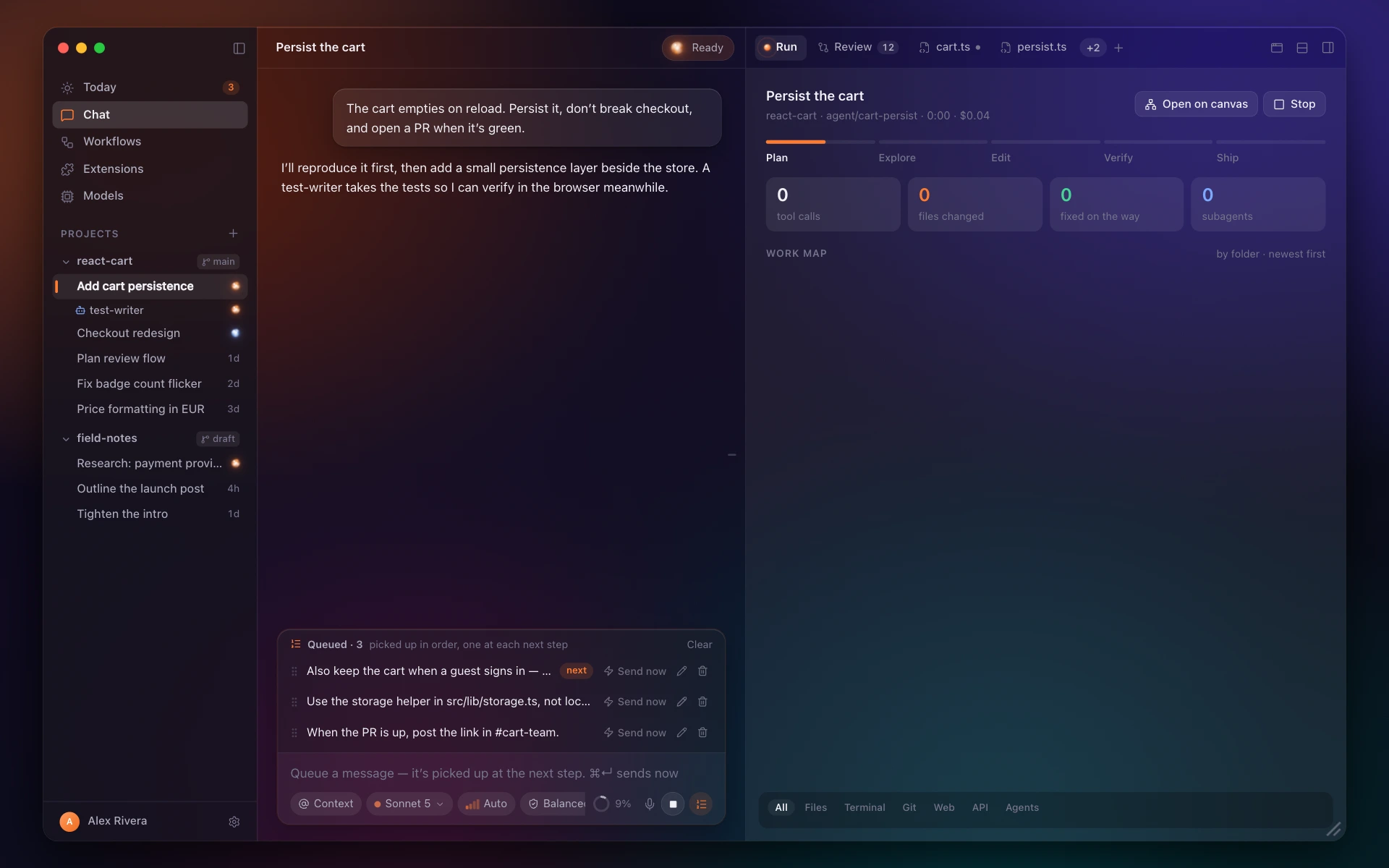
01 · Build
Give it the job. Watch every step.
It plans, reads the code, edits, hits a type error and fixes it, runs the tests and opens the pull request — each step with the evidence that it worked.
- Files read, commands run, and their output, in order.
- Anything that needs consent waits for you.
- Sessions last: close the lid, come back tomorrow.
In Canoryn today
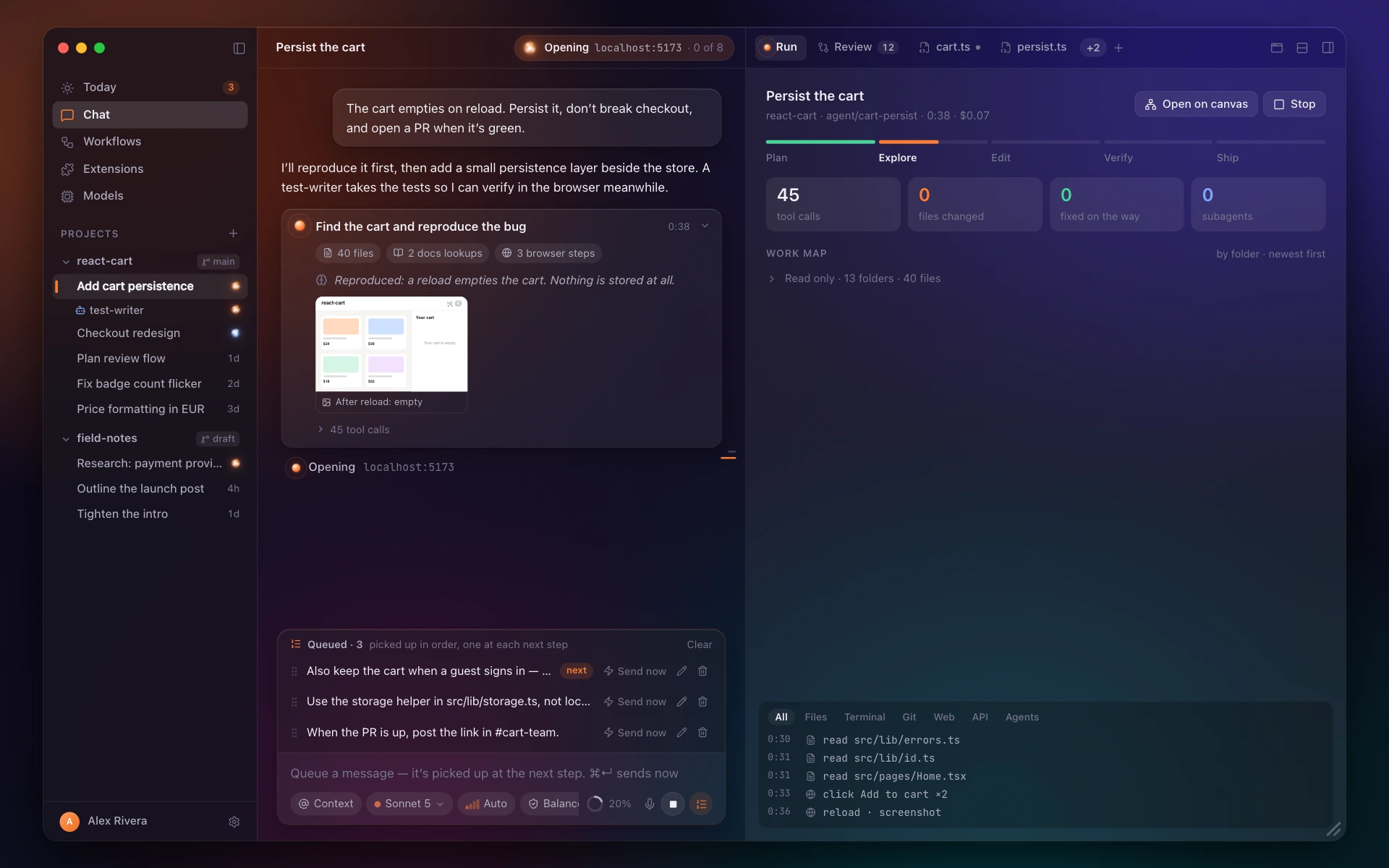
02 · Steer
Change course without starting over.
Type while it works. Your message waits in a queue and the agent takes it at the next step. Reorder it, edit it, or send it right now.
- A queue, not an interrupt — nothing half-done gets thrown away.
- Every queued message stays yours until the agent takes it.
In Canoryn today
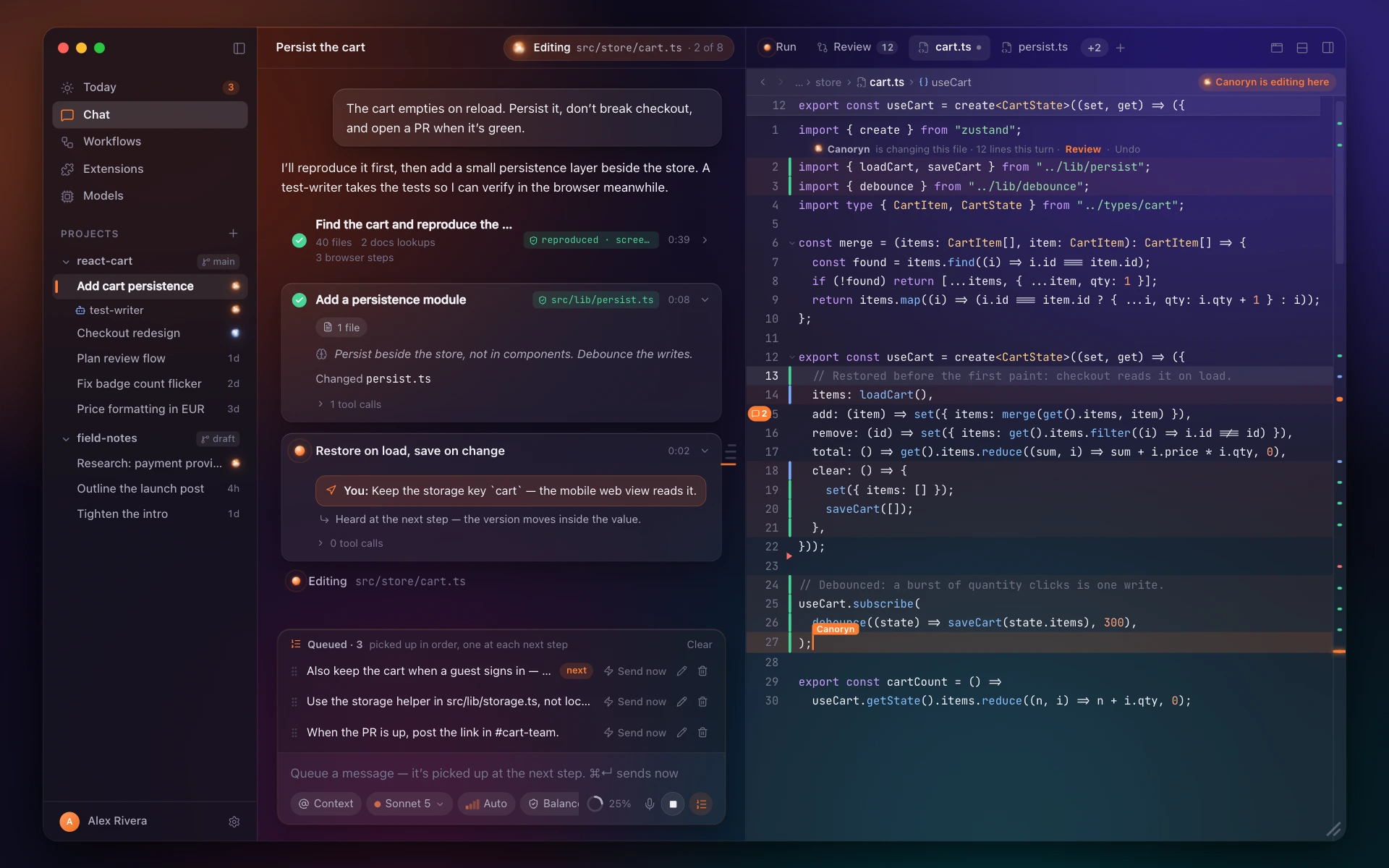
03 · Editor
A real code editor, not a text box.
Built on TextKit 2. The file the agent is working in shows its edits as they land. When you want the keyboard back, it's a proper editor.
- 25 languages, with language servers for completion, errors and rename.
- Multiple carets, folding, find and replace, snippets.
- Comments on lines, shared with the agent.
In Canoryn today
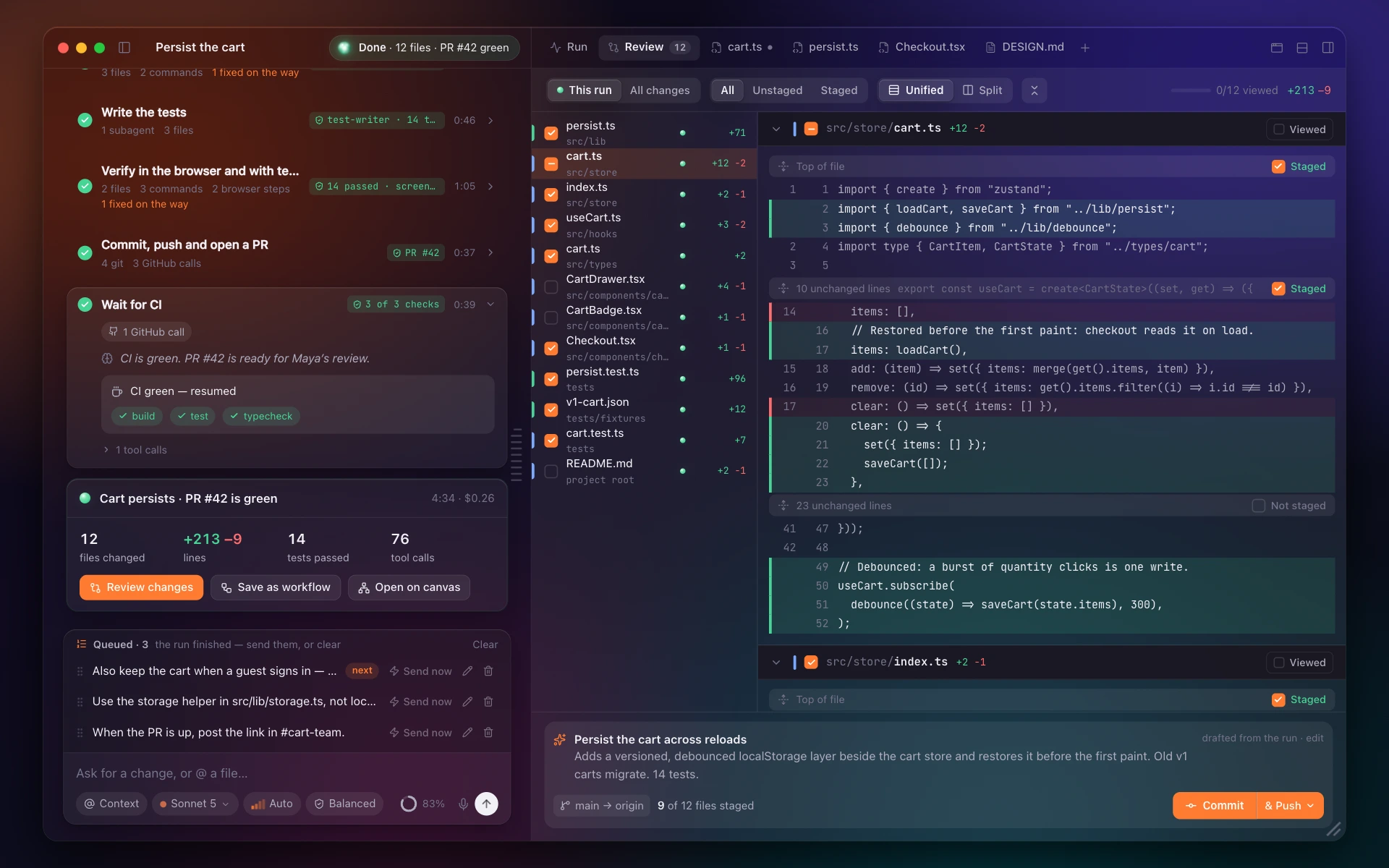
04 · Review & ship
Read every change. Ship the ones you like.
Every changed file in one list. Stage a hunk or a single line, commit it with a generated message, and undo the commit if you change your mind.
- Git in the gutter while you edit.
- The lines Git folded away are a drag away.
- Review comments stay put as the code moves.
In Canoryn today
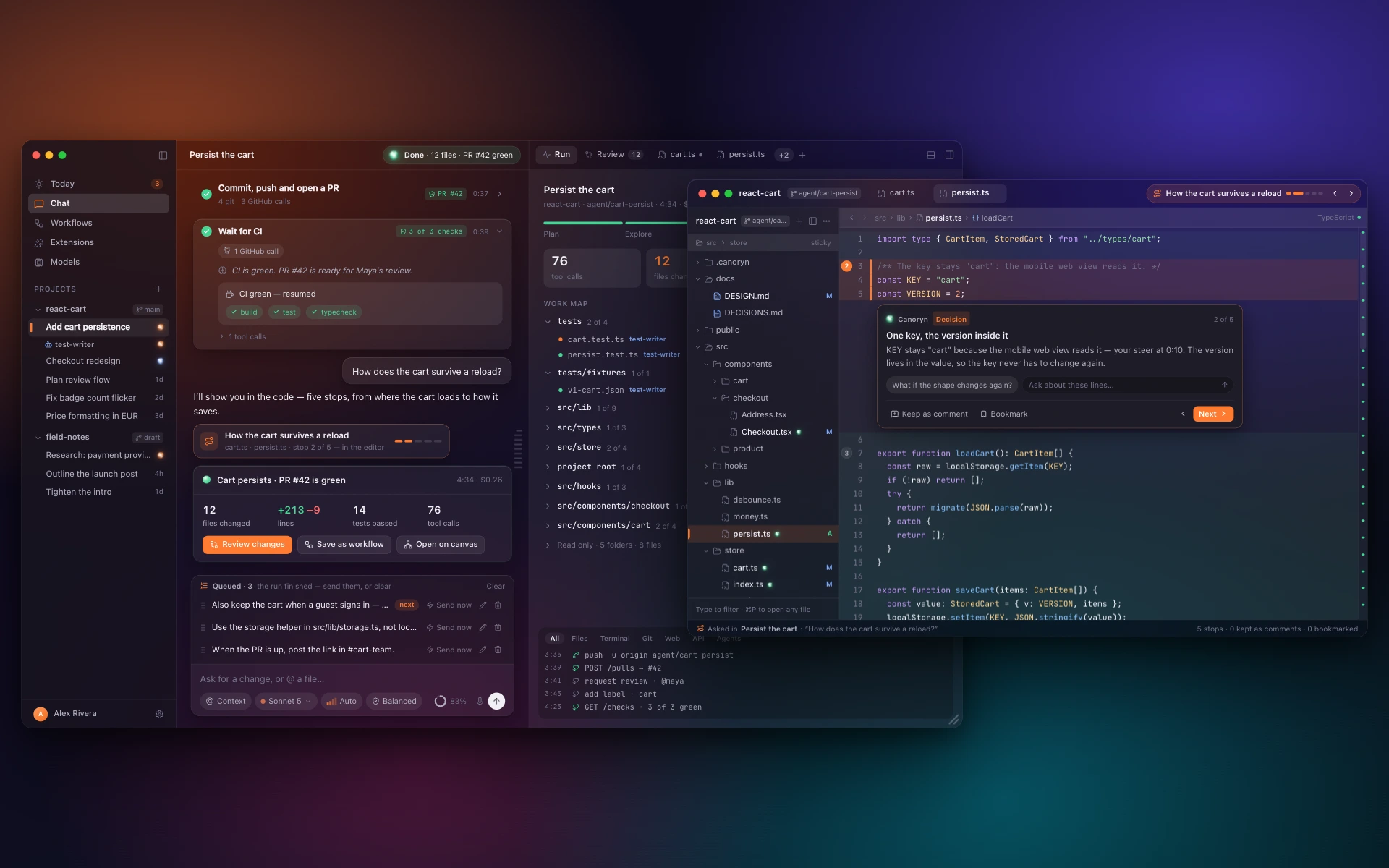
05 · Code tours
Ask how it works. Get the answer in the code.
The editor follows the agent stop by stop, the lines it's talking about lit, a short note under each. Ask about those lines right there.
- Keep a note as a comment others see, or a bookmark that's yours.
- The chat gets one line and a way back into the tour.
Coming soon
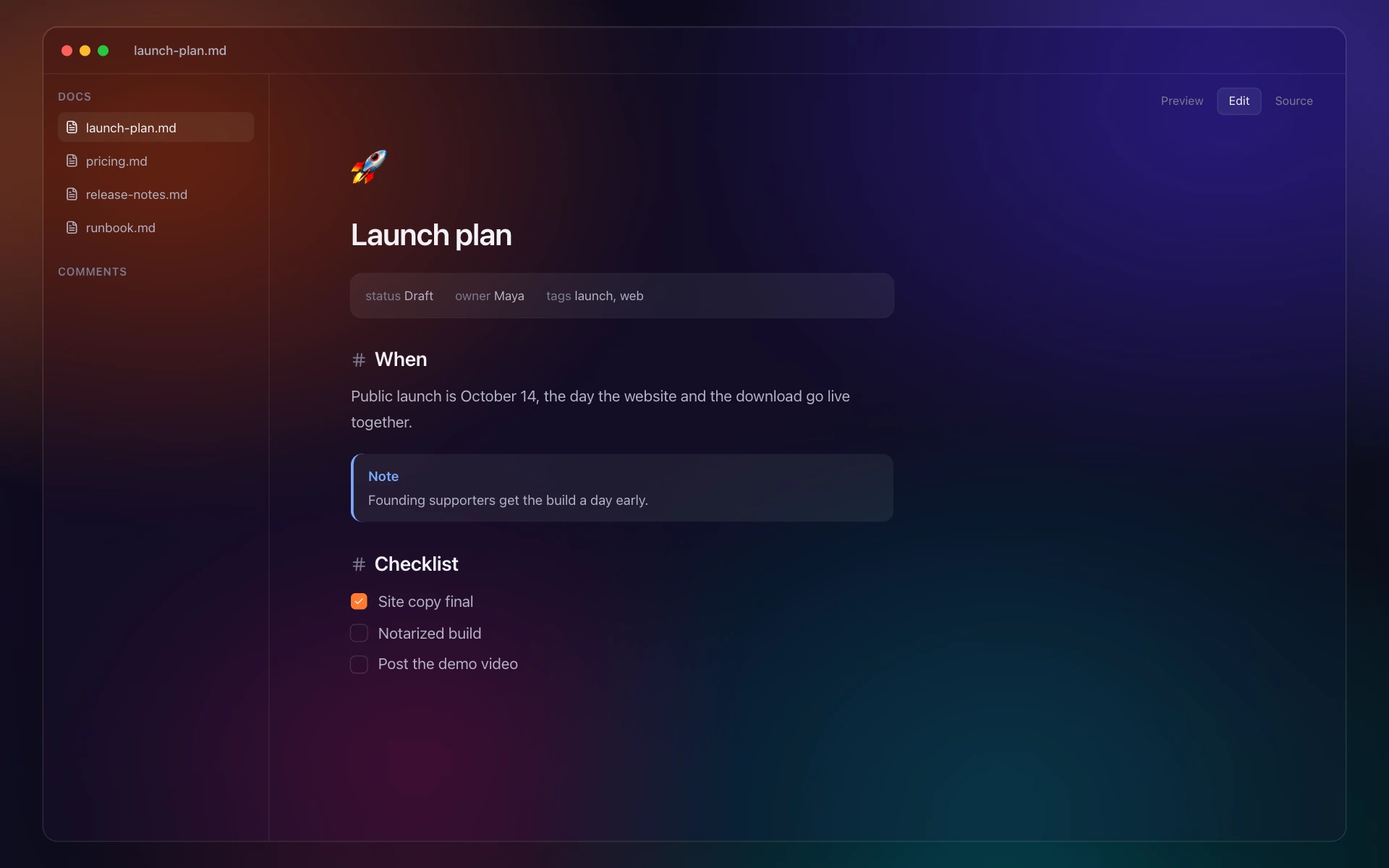
06 · Documents & comments
Comment on a page. It makes the edit.
Markdown that reads like a page. Select a passage, comment, hand it to the agent — it edits the document where it should change and replies in the thread.
- Preview, Edit and Source — the file stays plain Markdown.
- Resolving the thread stays yours.
- Export a page or PDF, or publish it to canoryn.app.
In Canoryn today
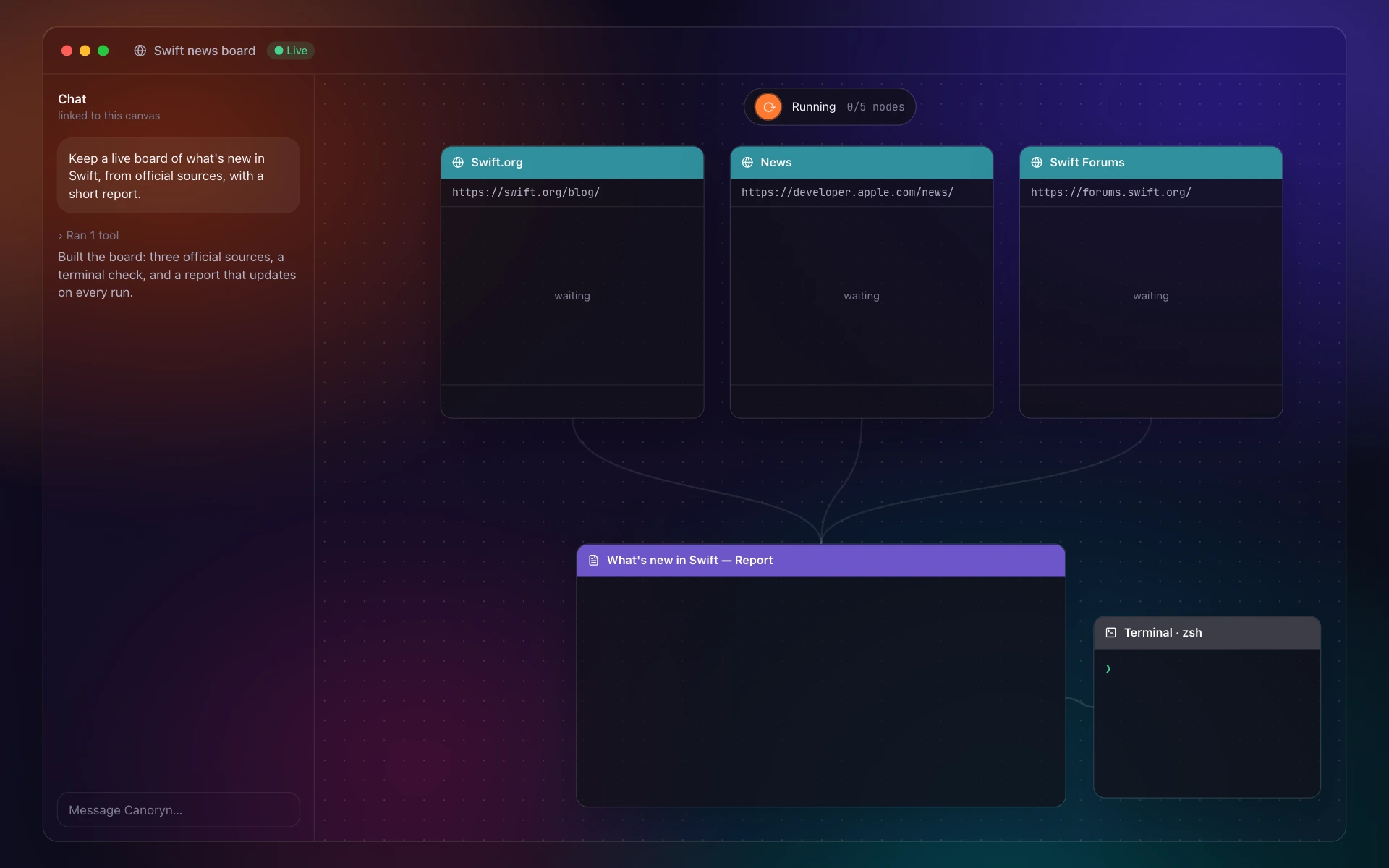
07 · Workflows
Leave real work running on a board.
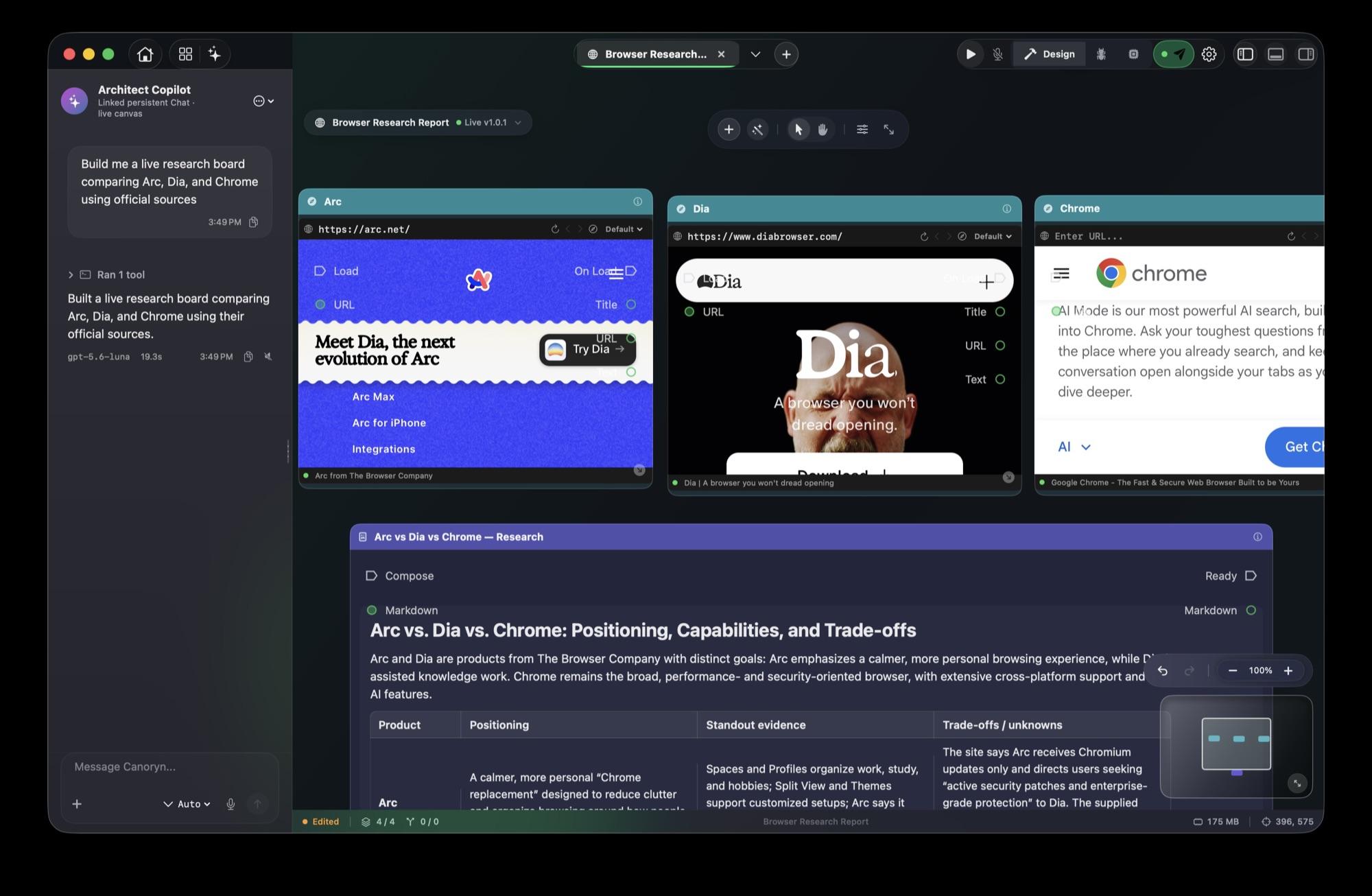
Live browsers, terminals and a report on one canvas. Press Play, leave it running, save it as a .cryn and run it again tomorrow — from the app, the CLI or another agent.
- Every browser is a real WebKit page; every terminal a real shell.
- Describe the workflow; edit one step without rebuilding the rest.
In Canoryn today
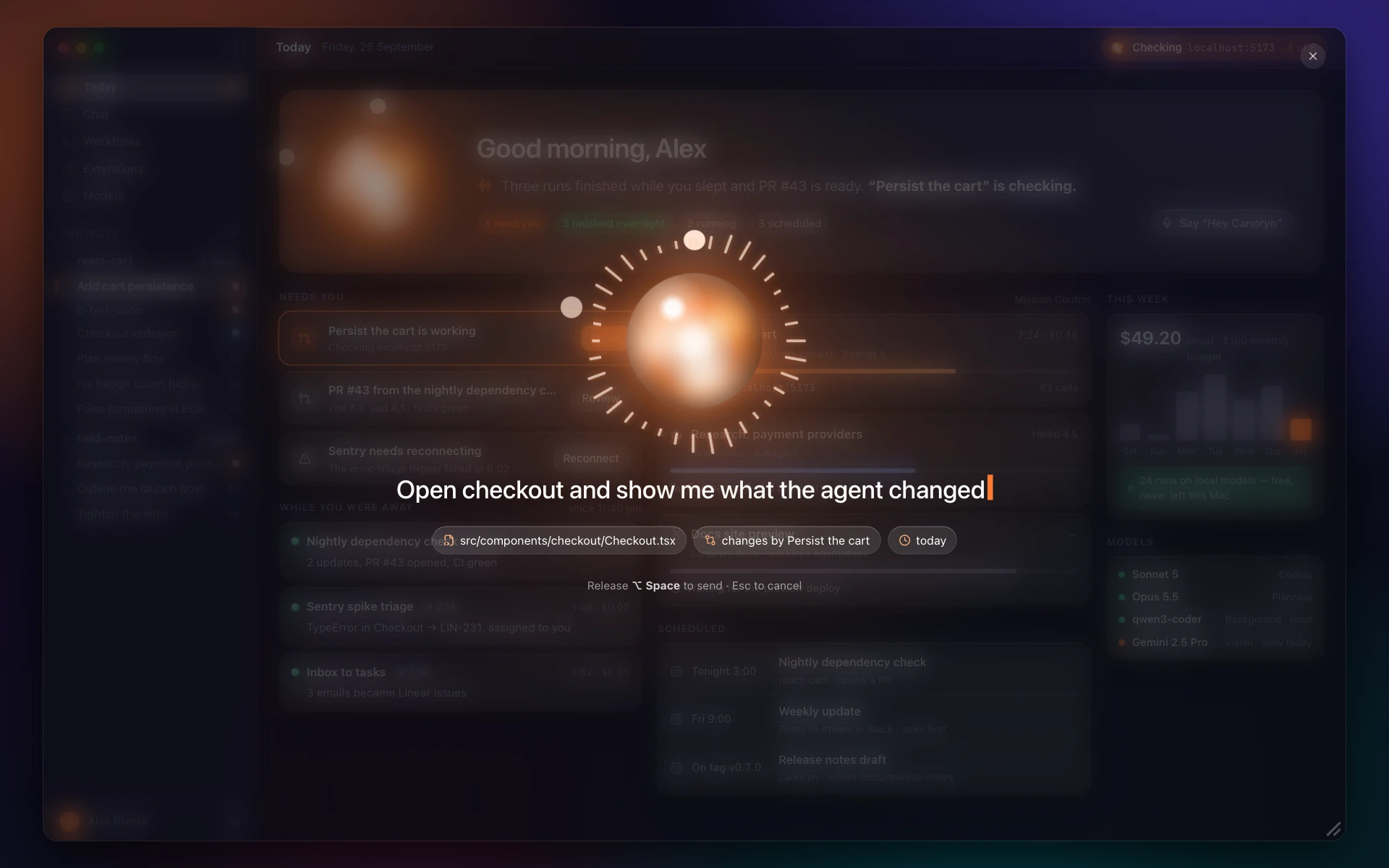
08 · Voice
Talk instead of typing.
Dictate a message, or say the wake word over whatever you're doing and it listens.
- Speech runs through Apple's own frameworks.
In Canoryn today
09 · CLI & MCP
Other doors into the same agent.
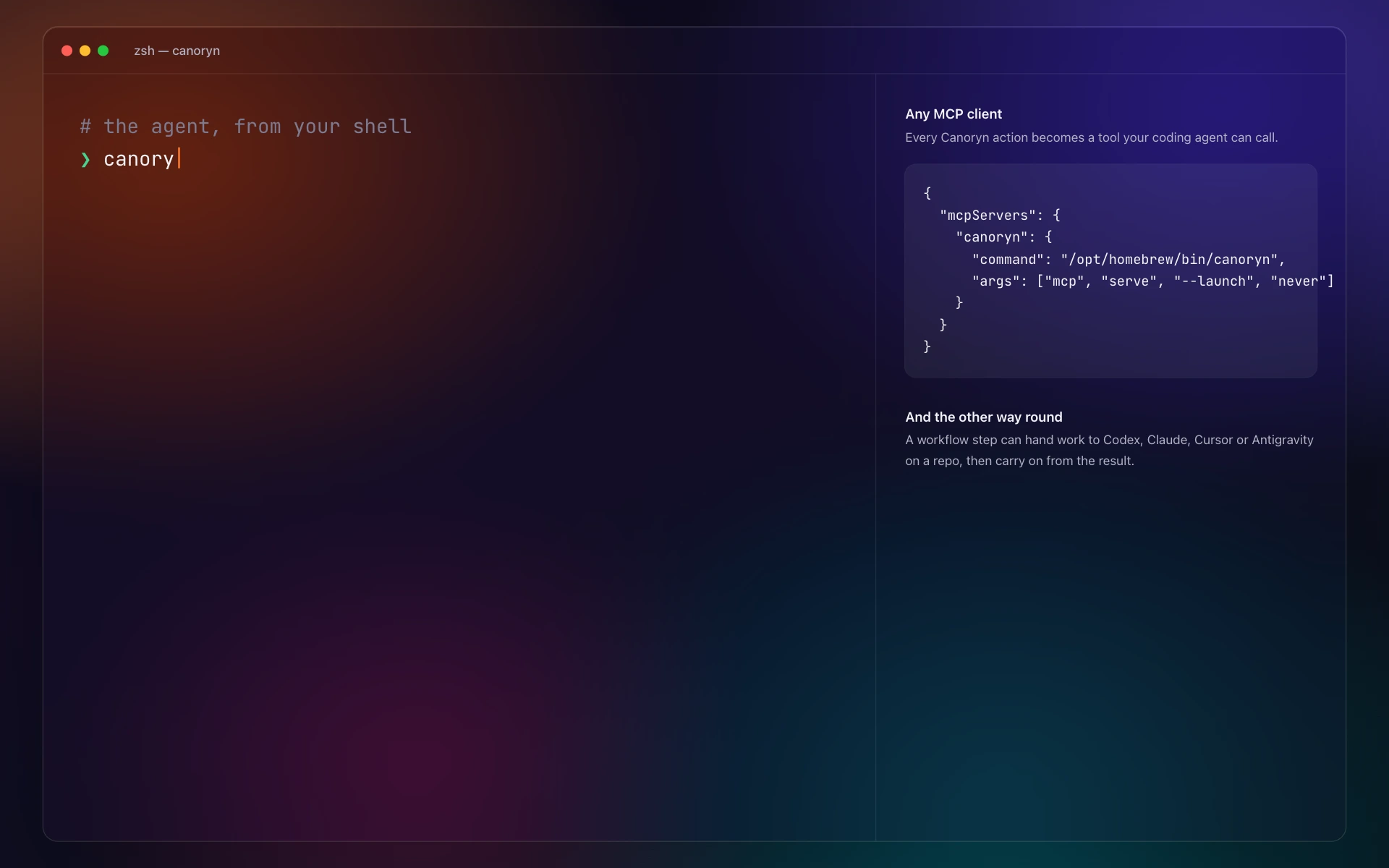
Drive it from your terminal and scripts. Plug Claude Code, Codex or Cursor into it over MCP. Consent still lives in the app.
- Every Canoryn action is a tool your coding agent can call.
- A workflow step can hand work to Codex, Claude, Cursor or Antigravity.
In Canoryn today
Native
They build the smartest models on earth.
Then ship them to your Mac inside a web browser.
Fair enough — one codebase, every platform. But your Mac pays for it in gigabytes. So we built the native one: Swift, on the frameworks Apple uses for its own apps, and it runs whichever model you like.
Size on the same Mac, in MB
Measured 28 September 2026 — Canoryn 0.6.0, Cursor 3.22.7, Claude 2.9939.2, ChatGPT 26.924. Installed size is the app in Applications; download is each vendor's current macOS installer. Canoryn and Claude are universal (Apple silicon and Intel in one app); Cursor and ChatGPT are Apple silicon only. The old native ChatGPT app, now “ChatGPT Classic”, is 159 MB.
Bring any brain. We built the body.
Run a local model through Ollama and your prompts never leave your Mac. Or bring a frontier model with your own API key, or your ChatGPT subscription — pick per session.
 Ollamaany local model
 OpenAIyour key or ChatGPT plan
 Claudeby Anthropic · your key
 Geminiyour key
And 30+ more providers, set up in a minute
Or any OpenAI-compatible endpoint.
Model makers · their own API, your key
 Mistral
 DeepSeek
 CohereKimi
 GLM
GLM Qwen
Qwen MiniMax
Open-model clouds · open models, hosted
 OpenRouterGroq
 Together AI
 Fireworks
 Cerebras
 SambaNova
 DeepInfra
 Hugging Face
 NVIDIA NIM
 Hyperbolic
 NovitaNebiusBaseten
On your Mac · nothing leaves it
 vLLMLocalAIGPT4AllKoboldCpptext-generation-webuiLiteLLM
SwiftUI + AppKit
Real windows, menus and shortcuts. It behaves like the rest of your Mac.
TextKit 2
The code editor — Apple's modern text engine, driving 25 languages.
WebKit
Each browser on the canvas is a real Safari-engine page.
A real PTY
Terminals on the canvas run your own login shell.
Keychain
API keys live where macOS keeps passwords.
NaturalLanguage
Memory search with embeddings computed on your Mac.
Speech
Talk to it instead of typing.
PDFKit + Quick Look
PDFs and files open right on the board.
The real thing, today
One sentence. A live research board.
Asked for a board comparing three browsers from their official sites, the shipping app opened three live pages and wrote the comparison beside them. They keep running while you do something else.
Trust
It's your Mac. It stays yours.
Asks before it acts
Writing files, running commands and going online need your consent. Anything outside the project needs approval.
Keys stay in your Keychain
Canoryn talks to your provider directly. No proxy of ours sits in the middle.
Local when you want it
Run a model through Ollama and the whole loop stays on your Mac.
Crash reports are your call
Nothing is sent unless you choose to send it.
Give it the next job.
Watch it work.
macOS 15.4+ · Apple silicon and Intel · 46 MB
Signed and notarized by Apple. Open the download, drag Canoryn to Applications, and it opens like any Mac app.
The live windows on this page play a scripted run of the Canoryn interface in your browser. Each demo says whether its feature is in Canoryn today. The research board is a screenshot of the shipping app.